Windows Native App

Game Capture for VDO.Ninja

Send a guest one link to install, launch, and publish gameplay. Keep control simple: stream ID, room workflow, and OBS-ready view links.
Latest release page: github.com/steveseguin/game-capture/releases/latest

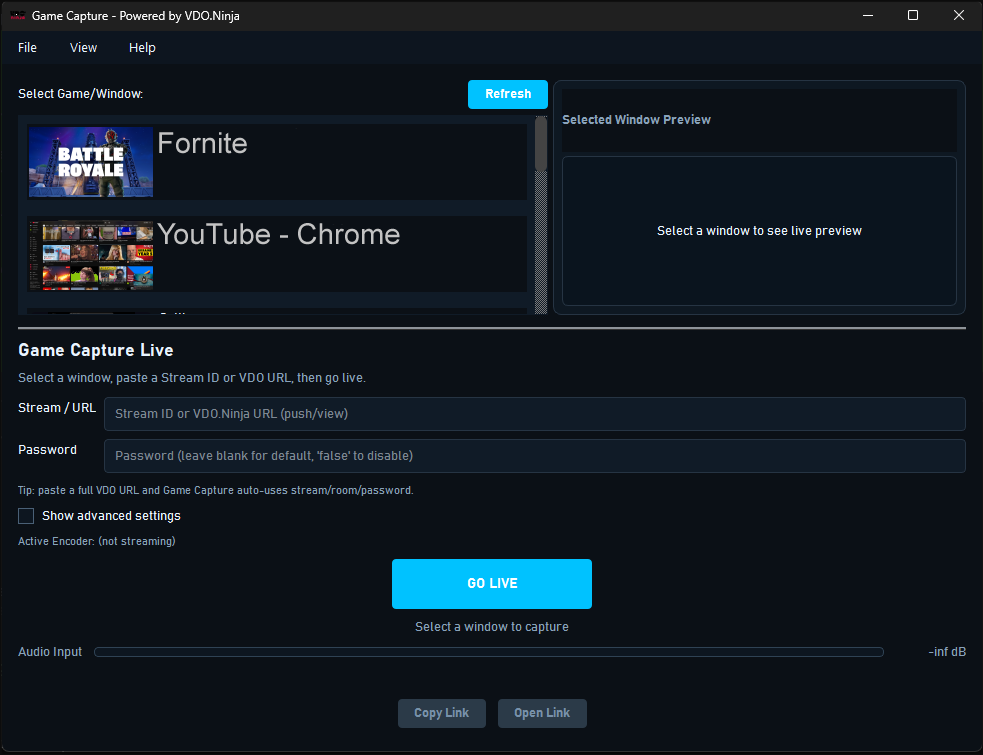
Game Capture app window showing window selection and go live controls
Current Windows app interface (native Qt build)

How It Works

  • Creator sets stream ID and shares a link with the guest.
  • Guest opens Game Capture and selects the game/window to publish.
  • OBS uses view/scene links to pull the feed.
  • Room workflows support role-based quality control.

Why This App

  • Window audio capture without virtual audio cables.
  • Hardware-accelerated encoding for smoother performance.
  • Dual-stream quality model: HQ + LQ routing when needed.
  • Multiple viewers from one HD encode workflow.
  • No Electron runtime, low memory usage, native Qt app.
  • Simple alternative to OBS for guest-side game feed publishing.
  • Built for VDO.Ninja compatibility and link workflows.

Current Scope

  • Windows only right now.
  • No auth guard for role claims (production tool model).
  • Limit max connections to protect publisher performance.
  • Public roadmap and test plans live in the GitHub repo.